
Introduction
Traveling in China can be an unforgettable adventure, but the language barrier and map apps used of the country can make navigation challenging for foreign tourists. Thankfully, modern map apps are here to save the day, offering real-time directions, public transport options, and even offline maps to help you explore China like a local.
In this guide, we’ll recommend the best map apps for navigating China, provide detailed usage tips, and share practical advice to ensure a seamless travel experience. Whether you’re finding your way through Beijing’s historic hutongs or exploring remote mountain trails, these tools are indispensable.
1. Why You Need Map Apps in China
1.1 The Complexity of Chinese Navigation
- Language Barrier: Most signs and addresses are in Mandarin, making navigation tricky without translation tools.
- Dynamic Cities: Major cities like Shanghai and Guangzhou have extensive public transportation networks that require real-time updates.
- Remote Areas: Exploring rural or less-traveled areas often means relying on offline maps due to limited connectivity.
1.2 Unique Features of Map Apps in China
- Integrated public transport schedules.
- Detailed walking and cycling routes.
- Real-time traffic updates and ride-hailing services.
2. Recommended Map Apps for Foreign Tourists in China
2.1 Baidu Maps (百度地图)
- Why It’s Useful: Baidu Maps provides local road, place and transport information; searching with Chinese place names can help.[1]
- Key Features:
- How to Use:
2.2 Amap (高德地图)
- Why It’s Useful: AMap offers local navigation and traffic estimates; confirm the actual route and destination entrance.[6]
- Key Features:
- AMap Global offers an English interface.[7]
- Real-time navigation for driving, walking, and cycling.
- Restaurant and attraction reviews.
- Pro Tip: Save the destination’s Chinese name and entrance pin. A VPN is not a navigation requirement or a guarantee of better routing.[8]
2.3 Google Maps
- Why It May Help: Google Maps can be useful for pre-trip orientation, but do not rely on its access or local routing as your only option in mainland China.[9]
- Limitations: Network access and local coverage differ from those of domestic mapping services.[10]
- How to Optimize:
- Before travel, check whether your app supports downloadable coverage for the destination; do not assume China maps can be downloaded in every app.[11]
- Prepare an alternative local map and saved addresses. Availability and performance can change; check provider terms and applicable local rules for any connectivity service.[12]
2.4 WeChat Maps Integration
- Why It’s Handy: For WeChat users, the in-app map feature is a convenient option for basic navigation.
- Best For: Finding nearby restaurants, shops, and public transport stops.
2.5 Offline Alternatives
- Maps.me: consider it for downloaded maps only after checking coverage, current terms and route suitability; offline maps do not prove a trail is open or safe.[13]
- Citymapper: check its current supported-city list before installing it for a China trip; do not assume Beijing or Shanghai coverage.[14]
3. How to Set Up and Use Map Apps in China
3.1 Downloading the Apps
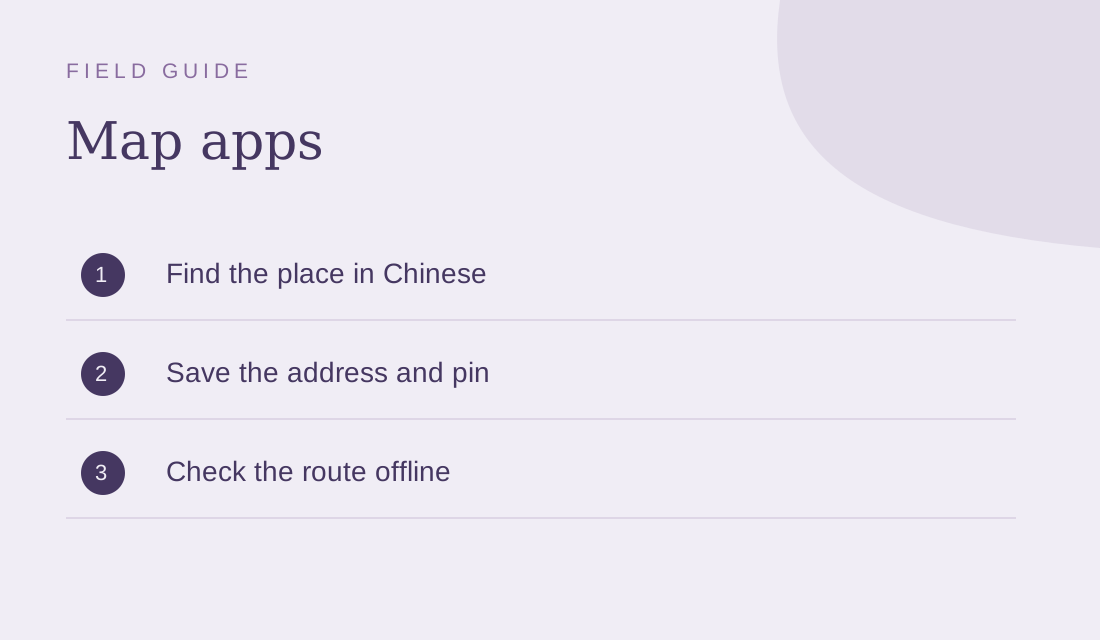
- Install through the publisher’s official distribution channel or your trusted app store before departure; avoid unknown APK downloads.[15]
- Preparation: test your apps before arrival and keep offline address notes. No particular VPN is required or promised to work here.[16]
3.2 Language Settings
- Language support varies by app and version. AMap Global offers English; verify the other app’s settings rather than assuming all have an English interface.[17]
- Install a Chinese keyboard for smoother input of place names.
3.3 Search Tips
- Input destinations using pinyin (Romanized Chinese) if English results are unavailable.
- Use nearby landmarks or hotel addresses in Chinese characters for better accuracy.
3.4 Navigating Public Transport
- Apps like Baidu Maps and Amap provide step-by-step instructions for buses, subways, and trains.
- Always double-check subway line colors and bus numbers as these may vary slightly across apps.
4. Insider Tips for Using Map Apps in China
4.1 Download Offline Maps
- Download supported maps before leaving connectivity, then test them in airplane mode. Save key addresses and transport instructions separately.[18]
4.2 Avoid Over-Reliance on GPS
- If positioning or a route looks wrong, compare with landmarks and the venue’s Chinese address. A map pin is not proof of the correct entrance or a safe path.[19]
4.3 Translate on the Go
- Use a translation app or screenshot translation where supported. Check the result against the Chinese address rather than trusting every automated translation.[20]
4.4 Plan Routes in Advance
- Save your destinations and routes before heading out, especially when traveling in areas with weak network coverage.
5. Practical Scenarios for Map App Use
5.1 Exploring a New City
- Example: Navigating Beijing’s hutongs with Baidu Maps.
- Choose a permitted public starting point and check access and reservation requirements for Tiananmen Square before planning a walk.[21]
5.2 Taking Public Transport
- Example: Using Amap to find the fastest subway route in Shanghai.
- Compare the suggested subway options, transfer walking distances and service hours rather than assuming the first suggestion is always fastest.[22]
5.3 Long-Distance Travel
- Example: Plan a Zhangjiajie journey using saved maps, official transport information and confirmed accommodation; offline maps are only a backup, not a driving or trail-safety authority.[23]
- Mark scenic stops and rest areas in advance for a smoother journey.
5.4 Emergency Situations
- Use map apps to locate the nearest hospital, police station, or embassy in case of emergencies.
6. Overcoming Challenges When Using Map Apps in China
6.1 Connection and feature availability[24]
- Some overseas services may be unavailable on the connection you use. Prepare local alternatives and offline information; check the provider’s terms and applicable rules rather than relying on a VPN guarantee.[25]
6.2 Limited English Results
- Not all locations are listed in English. Use pinyin or Chinese characters for more accurate results.
6.3 Address Confusion
- Chinese addresses can be complex, with multiple formats. Confirm the full address with locals or your hotel.
7. Suggested Itineraries with Map Apps
7.1 One Day in Beijing
- Use Baidu Maps to explore:
- Morning: Tiananmen Square and the Forbidden City only with the required access arrangements and confirmed museum reservation; simplify the day if time is tight.[26]
- Afternoon: Hutongs and Houhai Lake.
- Evening: Explore the Wangfujing area and check current dining options rather than assuming a particular snack street is operating.[27]
7.2 Three Days in Shanghai
- Use Amap for efficient navigation:
- Day 1: The Bund and Nanjing Road.
- Day 2: Yu Garden and Shanghai Tower.
- Day 3: Disneyland or Zhujiajiao Water Town.
Map app FAQs
What is the best map app for foreign travelers in China?
AMap Global offers English route planning. Apple Maps can be convenient on Apple devices; compare the destinations and features you need rather than treating one app as universally best.[28]
Do I need a VPN to use map apps in China?
Do not assume you need a VPN for local navigation. Access to overseas services varies, and no connectivity tool guarantees availability or legal suitability in every circumstance.[29]
Can I use Google Maps in China?
You may use it for preparation where accessible, but keep a locally useful alternative and saved Chinese addresses; offline coverage is not guaranteed.[30]
Are map apps in China available in English?
AMap Global offers English. Language coverage in other apps and individual place listings varies, so check the current version on your phone.[31]
How do I download offline maps for China?
Look for the app’s supported download option, save the required area and test without a connection. If an area is unavailable, use saved addresses and screenshots instead.[32]
1.Visa-free transit in China: current eligibility and planning guide[33]
Notes & sources
These notes support the specific corrections above. They do not mean that every sentence, future opening time or individual eligibility has been verified.
Correction notes and source scope
Correct or qualify the specific claim; retain the surrounding original instructions and examples.
AutoNavi: AMap Global official app listing Shanghai government: AMap in English Apple: feature availability by region Google: offline language downloadsSource checked 2026-10-31Correct or qualify the specific claim; retain the surrounding original instructions and examples.
AutoNavi: AMap Global official app listing Shanghai government: AMap in English Apple: feature availability by region Google: offline language downloadsSource checked 2026-10-31Correct or qualify the specific claim; retain the surrounding original instructions and examples.
AutoNavi: AMap Global official app listing Shanghai government: AMap in English Apple: feature availability by region Google: offline language downloadsSource checked 2026-10-31Correct or qualify the specific claim; retain the surrounding original instructions and examples.
AutoNavi: AMap Global official app listing Shanghai government: AMap in English Apple: feature availability by region Google: offline language downloadsSource checked 2026-10-31Correct or qualify the specific claim; retain the surrounding original instructions and examples.
AutoNavi: AMap Global official app listing Shanghai government: AMap in English Apple: feature availability by region Google: offline language downloadsSource checked 2026-10-31Correct or qualify the specific claim; retain the surrounding original instructions and examples.
AutoNavi: AMap Global official app listing Shanghai government: AMap in English Apple: feature availability by region Google: offline language downloadsSource checked 2026-10-31Correct or qualify the specific claim; retain the surrounding original instructions and examples.
AutoNavi: AMap Global official app listing Shanghai government: AMap in English Apple: feature availability by region Google: offline language downloadsSource checked 2026-10-31Correct or qualify the specific claim; retain the surrounding original instructions and examples.
AutoNavi: AMap Global official app listing Shanghai government: AMap in English Apple: feature availability by region Google: offline language downloadsSource checked 2026-10-31Correct or qualify the specific claim; retain the surrounding original instructions and examples.
AutoNavi: AMap Global official app listing Shanghai government: AMap in English Apple: feature availability by region Google: offline language downloadsSource checked 2026-10-31Correct or qualify the specific claim; retain the surrounding original instructions and examples.
AutoNavi: AMap Global official app listing Shanghai government: AMap in English Apple: feature availability by region Google: offline language downloadsSource checked 2026-10-31Correct or qualify the specific claim; retain the surrounding original instructions and examples.
AutoNavi: AMap Global official app listing Shanghai government: AMap in English Apple: feature availability by region Google: offline language downloadsSource checked 2026-10-31Correct or qualify the specific claim; retain the surrounding original instructions and examples.
AutoNavi: AMap Global official app listing Shanghai government: AMap in English Apple: feature availability by region Google: offline language downloadsSource checked 2026-10-31Correct or qualify the specific claim; retain the surrounding original instructions and examples.
AutoNavi: AMap Global official app listing Shanghai government: AMap in English Apple: feature availability by region Google: offline language downloadsSource checked 2026-10-31Correct or qualify the specific claim; retain the surrounding original instructions and examples.
AutoNavi: AMap Global official app listing Shanghai government: AMap in English Apple: feature availability by region Google: offline language downloadsSource checked 2026-10-31Correct or qualify the specific claim; retain the surrounding original instructions and examples.
AutoNavi: AMap Global official app listing Shanghai government: AMap in English Apple: feature availability by region Google: offline language downloadsSource checked 2026-10-31Correct or qualify the specific claim; retain the surrounding original instructions and examples.
AutoNavi: AMap Global official app listing Shanghai government: AMap in English Apple: feature availability by region Google: offline language downloadsSource checked 2026-10-31Correct or qualify the specific claim; retain the surrounding original instructions and examples.
AutoNavi: AMap Global official app listing Shanghai government: AMap in English Apple: feature availability by region Google: offline language downloadsSource checked 2026-10-31Correct or qualify the specific claim; retain the surrounding original instructions and examples.
AutoNavi: AMap Global official app listing Shanghai government: AMap in English Apple: feature availability by region Google: offline language downloadsSource checked 2026-10-31Correct or qualify the specific claim; retain the surrounding original instructions and examples.
AutoNavi: AMap Global official app listing Shanghai government: AMap in English Apple: feature availability by region Google: offline language downloadsSource checked 2026-10-31Correct or qualify the specific claim; retain the surrounding original instructions and examples.
AutoNavi: AMap Global official app listing Shanghai government: AMap in English Apple: feature availability by region Google: offline language downloadsSource checked 2026-10-31Correct or qualify the specific claim; retain the surrounding original instructions and examples.
AutoNavi: AMap Global official app listing Shanghai government: AMap in English Apple: feature availability by region Google: offline language downloadsSource checked 2026-10-31Correct or qualify the specific claim; retain the surrounding original instructions and examples.
AutoNavi: AMap Global official app listing Shanghai government: AMap in English Apple: feature availability by region Google: offline language downloadsSource checked 2026-10-31Correct or qualify the specific claim; retain the surrounding original instructions and examples.
AutoNavi: AMap Global official app listing Shanghai government: AMap in English Apple: feature availability by region Google: offline language downloadsSource checked 2026-10-31Correct or qualify the specific claim; retain the surrounding original instructions and examples.
AutoNavi: AMap Global official app listing Shanghai government: AMap in English Apple: feature availability by region Google: offline language downloadsSource checked 2026-10-31Correct or qualify the specific claim; retain the surrounding original instructions and examples.
AutoNavi: AMap Global official app listing Shanghai government: AMap in English Apple: feature availability by region Google: offline language downloadsSource checked 2026-10-31Correct or qualify the specific claim; retain the surrounding original instructions and examples.
AutoNavi: AMap Global official app listing Shanghai government: AMap in English Apple: feature availability by region Google: offline language downloadsSource checked 2026-10-31Correct or qualify the specific claim; retain the surrounding original instructions and examples.
AutoNavi: AMap Global official app listing Shanghai government: AMap in English Apple: feature availability by region Google: offline language downloadsSource checked 2026-10-31Correct or qualify the specific claim; retain the surrounding original instructions and examples.
AutoNavi: AMap Global official app listing Shanghai government: AMap in English Apple: feature availability by region Google: offline language downloadsSource checked 2026-10-31Correct or qualify the specific claim; retain the surrounding original instructions and examples.
AutoNavi: AMap Global official app listing Shanghai government: AMap in English Apple: feature availability by region Google: offline language downloadsSource checked 2026-10-31Correct or qualify the specific claim; retain the surrounding original instructions and examples.
AutoNavi: AMap Global official app listing Shanghai government: AMap in English Apple: feature availability by region Google: offline language downloadsSource checked 2026-10-31Correct or qualify the specific claim; retain the surrounding original instructions and examples.
AutoNavi: AMap Global official app listing Shanghai government: AMap in English Apple: feature availability by region Google: offline language downloadsSource checked 2026-10-31Correct or qualify the specific claim; retain the surrounding original instructions and examples.
AutoNavi: AMap Global official app listing Shanghai government: AMap in English Apple: feature availability by region Google: offline language downloadsSource checked 2026-10-31Related-link label must not advertise the superseded 144-hour regime; original URL remains unchanged.
NIA: current visa-free transit conditionsSource checked 2026-10-31
- AutoNavi: AMap Global official app listing
English availability and navigation modes in official listing, not performance testing.
Checked 2026-10-31 - NIA: current visa-free transit conditions
Eligibility, third-country transit, designated ports/areas and permitted activities; not an individual admission decision.
Checked 2026-10-31 - Shanghai government: AMap in English
AMap English interface and routes, not guaranteed accuracy.
Checked 2026-10-31 - Google: offline language downloads
Supported downloaded languages and offline setup; not accuracy certification.
Checked 2026-10-31 - Apple: feature availability by region
Features differ by region/language; not a direct field test.
Checked 2026-10-31